How to Fix SQL Import Error #1253 in phpMyAdmin (COLLATION Issue)
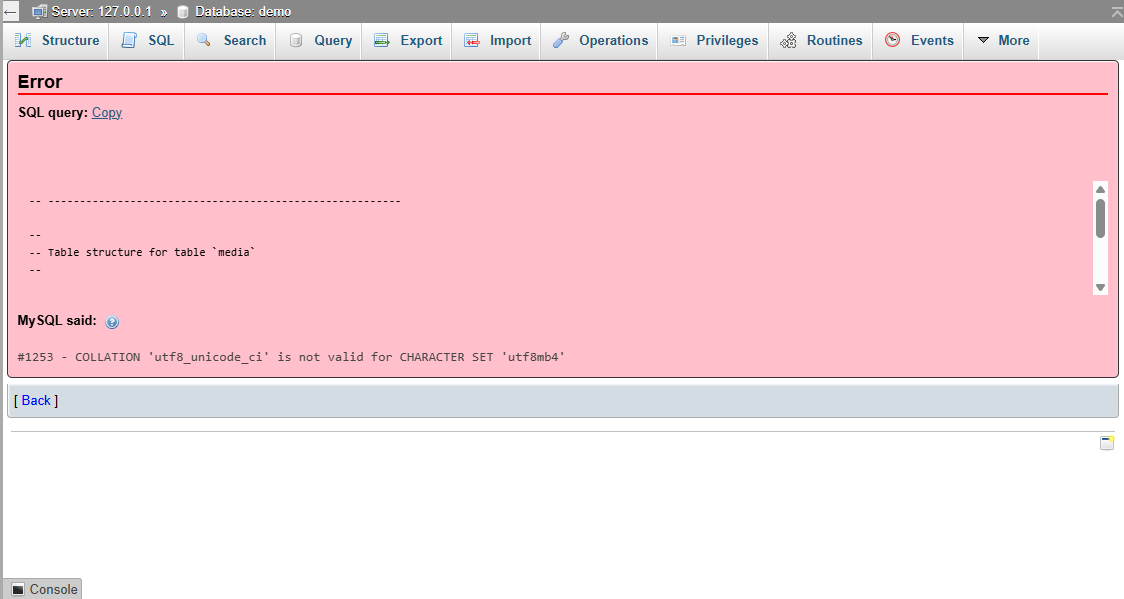
If you’ve encountered the error #1253 - COLLATION 'utf8_unicode_ci' is not valid for CHARACTER SET 'utf8mb4' while uploading an SQL file in phpMyAdmin, you’re not alone.
When uploading an .sql file into phpMyAdmin, you might see this error:
#1253 - COLLATION 'utf8_unicode_ci' is not valid for CHARACTER SET 'utf8mb4'
This usually happens when your SQL file was created using an older character set (utf8 or utf8mb3) but you're importing it into a database that uses the newer utf8mb4character set.
Why This Happens
MySQL has two different UTF-8 character sets:
utf8 or utf8mb3: The older, 3-byte version of UTF-8.
utf8mb4: The newer, full 4-byte UTF-8 supporting emojis and extended characters.
The collation utf8_unicode_ci (or its alias utf8mb3_unicode_ci) belongs to the older utf8 charset. MySQL doesn't allow mixing character sets and collations — you can't use a utf8 collation with utf8mb4, and vice versa.
Solution : Update Collation in the SQL File
You can manually fix this by editing your .sql file.
Steps:
-
Open the
.sqlfile in a text editor (like VS Code, Sublime, or Notepad++). -
Find and replace all instances of:
-
utf8_unicode_ci→utf8mb4_unicode_ci -
utf8(only when referring to character set) →utf8mb4
-
-
Save the file and re-import into phpMyAdmin.







0 Comment's
Add Comment
Register to Reply